

 Developers
How to Manage Linked Accounts in Your B3 Global Account
You can link multiple login methods (wallets, email, phone, or social accounts) to your B3 Global Account for added flexibility, and disconnect them at any time.
Linking an Additional Account
Sign In
Log in with the account you want to link new accounts to.
Open Settings
Click your profile icon in the top-right corner, then select Settings.
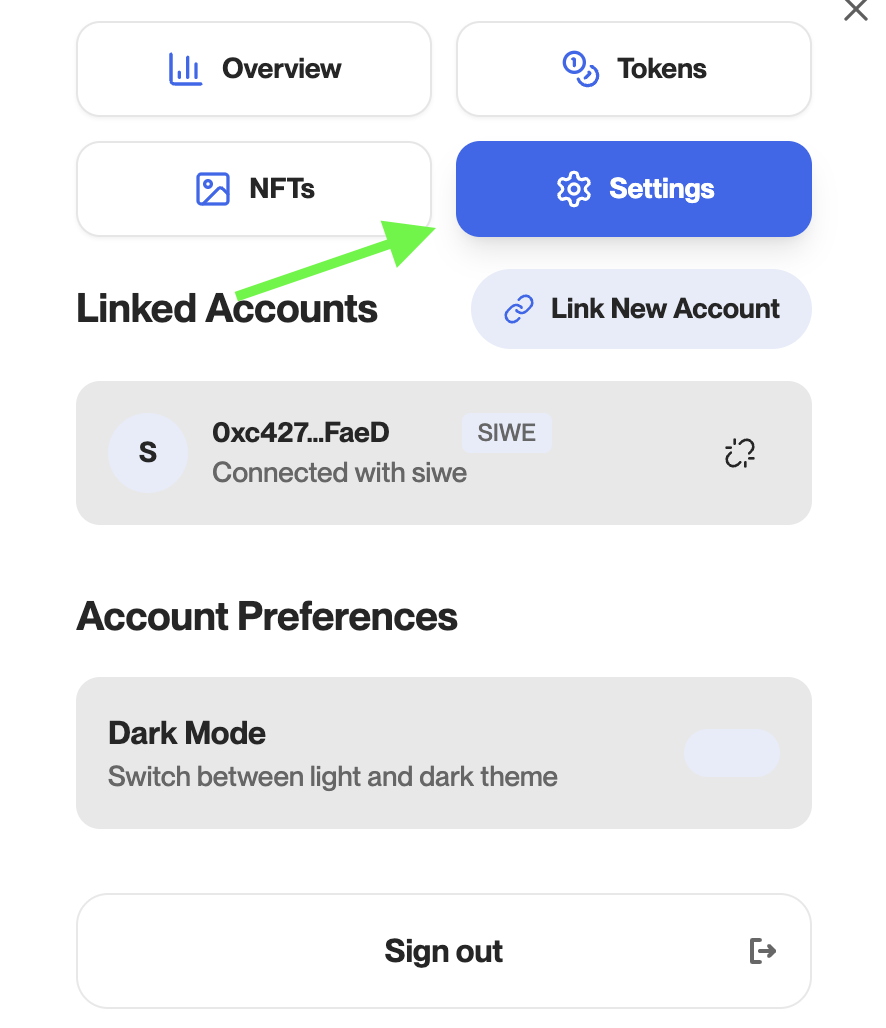
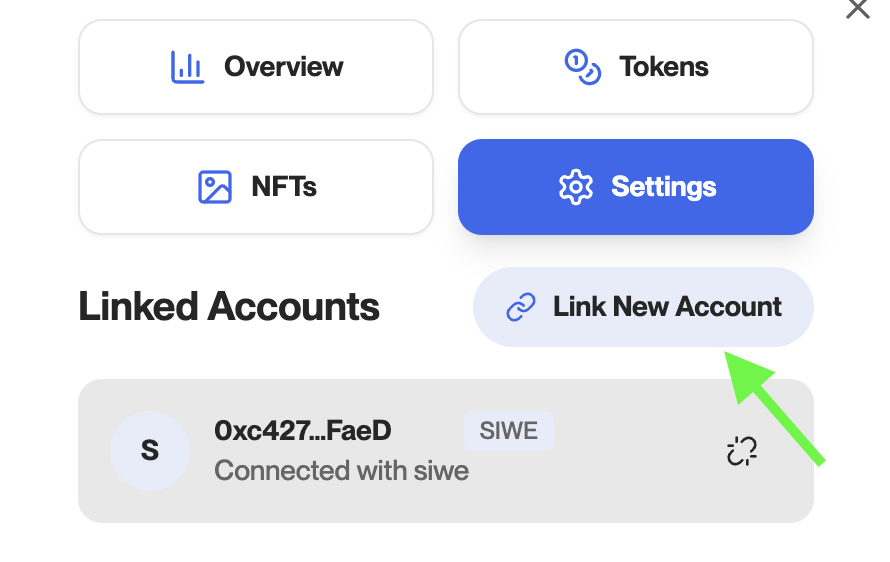
Link a New Account
Click Link New Account.
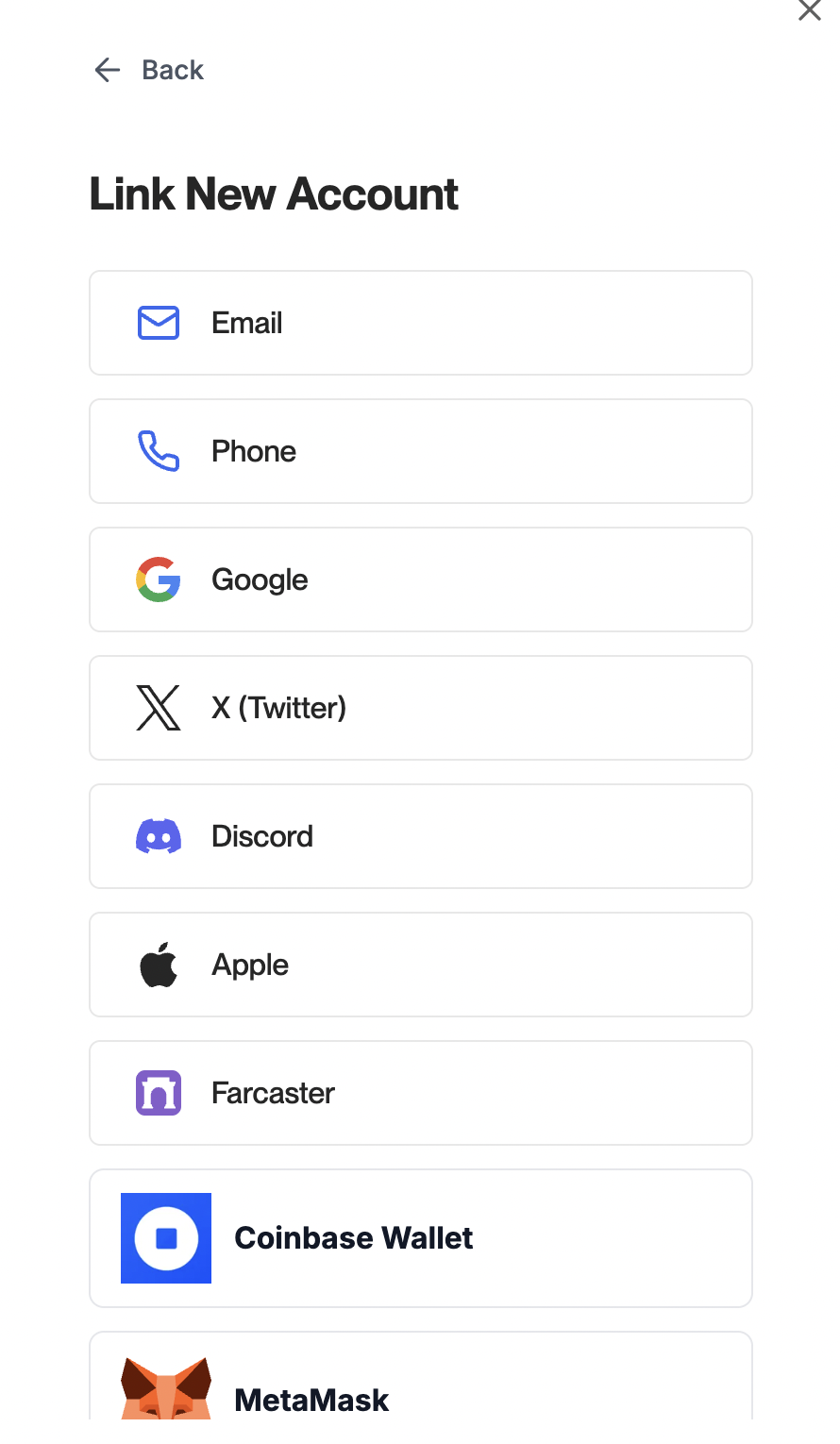
Select Account Type
Choose whether to link a wallet, email, phone, or social account.
Authorize Connection
Follow the steps to approve the connection (wallet approval, email verification, SMS code, or social sign-in).
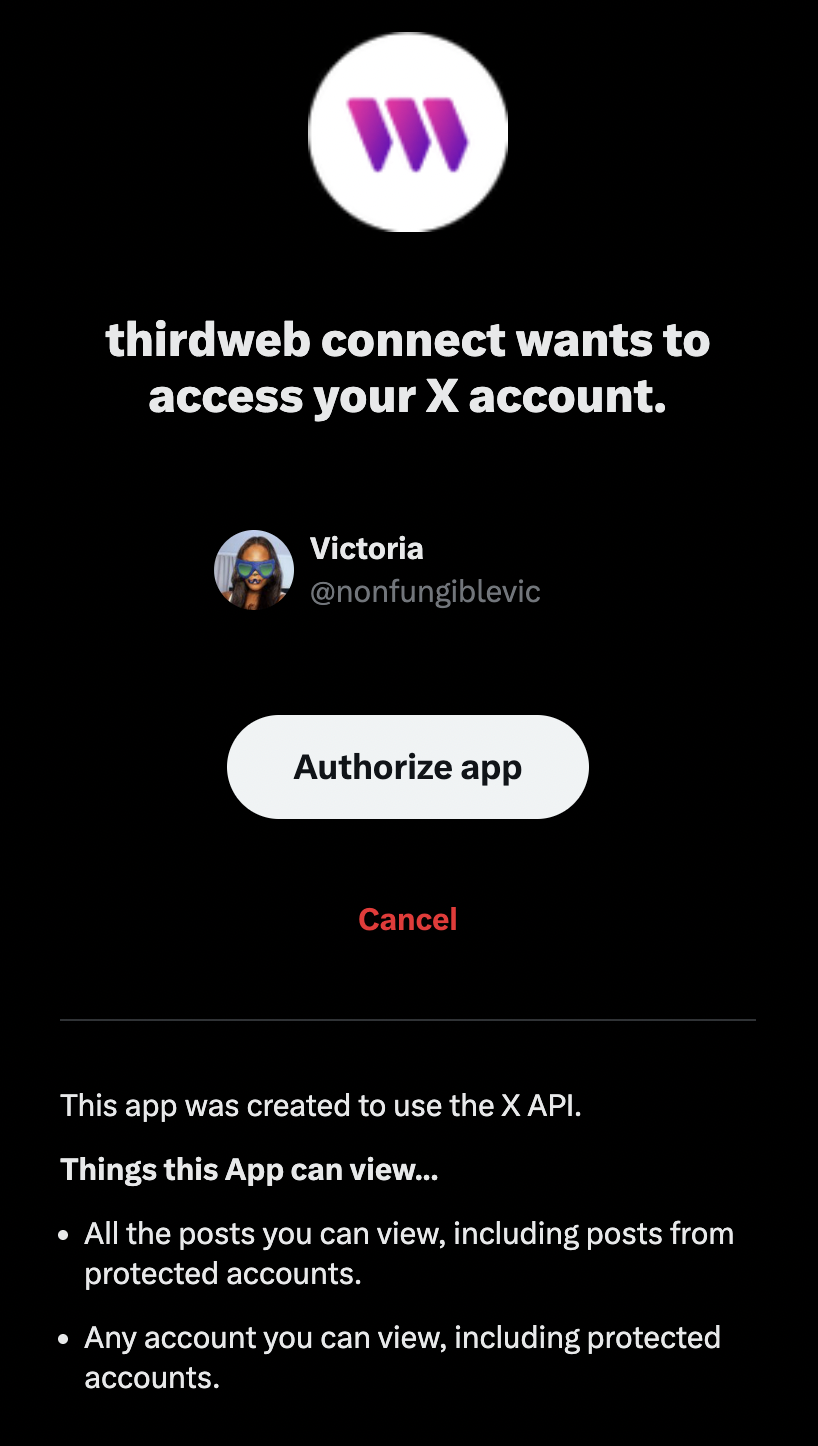
Your additional account will now be linked.
Disconnecting an Account
You may want to disconnect an account if you no longer use it, want to replace it with another, or simply prefer to keep your B3 Global Account linked to fewer logins.
Open Settings
Click your profile icon in the top-right corner, then select Settings.
Find Connected Accounts
In the Settings section, locate your list of connected accounts.
Disconnect the Account
Click the chain link icon next to the account you want to disconnect.
The account will be removed immediately.
Disconnecting an account will not delete your B3 Global Account. You’ll still be able to log in using any other connected accounts.
FAQ
You must always have at least one login method linked to your B3 Global Account. If the only account you have linked is the one you wish to disconnect, you’ll need to link another account first. Once you’ve added a new account, you can safely disconnect the one you want to remove.
Yes. You can link multiple accounts to the same B3 Global Account.