
Turn on notifications
Get a ping when a pick wins while you're away, when your daily refill is ready or when a fighter you follow is up. Two a day at most, never a loss.
Notifications stay off until you turn them on, and Basement only sends the three kinds listed below.
Turn them on
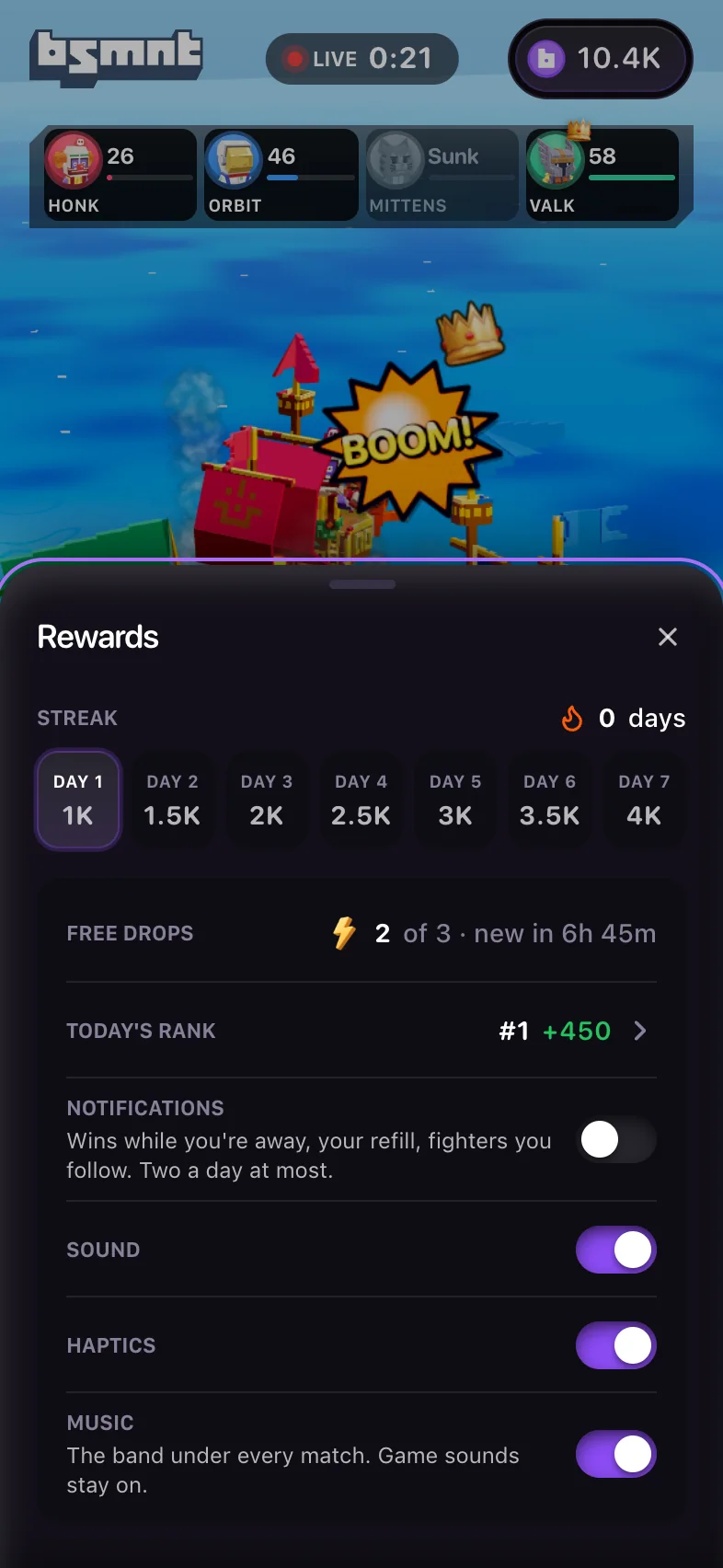
Open Rewards and switch on Notifications. The app may also offer them at two moments: a "Ping me when I win" row after a win, with Turn on, and Remind me after you claim your first daily refill. Your browser then asks for permission. One yes covers all three kinds.
On iPhone, notifications only work once Basement is on your home screen. In Safari the row reads "Add to Home Screen first". See install the app.
If the row reads "Blocked in browser settings", your browser is blocking notifications from this site. Allow them in the browser's site settings, then try again.
What Basement sends
| Notification | Example | When |
|---|---|---|
| "Your pick won while you were away" | "+45 · Hanzo won Rush Hour" | You left the app with picks running and one paid back more than you staked. Wins that settle close together arrive as one, such as "+2,275 across 2 wins". |
| "Daily refill is ready" | "Day 3 · +2,000 free credits" | Once per refill, between 10:00 and 21:00 your time, if you haven't opened the app since it was ready. |
| "Toxic is up in Skyball" | "Starts in about a minute" | A fighter you follow has a round coming up, you haven't opened Basement on any device for 18 hours, and it's between 10:00 and 21:00 your time. At most one of these a day. |
Losses are never sent. The amount in a win notification is what you won on top of your stake. To follow a fighter, see the crew.
Tapping a win notification opens that game, and the refill one opens Rewards. A fighter notification opens the round it announced with its picker open, nothing picked, and a heart on the fighter you follow. While that picker stays open, the feed keeps you on that game. If the round has already started, you land on the live match.
Two a day at most
Your account gets at most 2 notifications in any 24 hours, across all three kinds. If a refill is waiting when a fighter you follow is up, both go out as one notification.
Turn them off
- Tap Turn off on any notification. That stops them on that device.
- Or switch off Notifications in Rewards.
- Or block notifications for the site in your browser's settings.
What's stored
To send notifications, Basement keeps this device's push subscription, which is an address and keys from your browser's push service. It also keeps which kinds you signed up for, your time zone offset for the 10:00 to 21:00 window, and the fighters you follow. While notifications are on, the app tells the server when you leave and come back, so a win notification only goes out when you're away. Turning notifications off deletes that device's subscription.