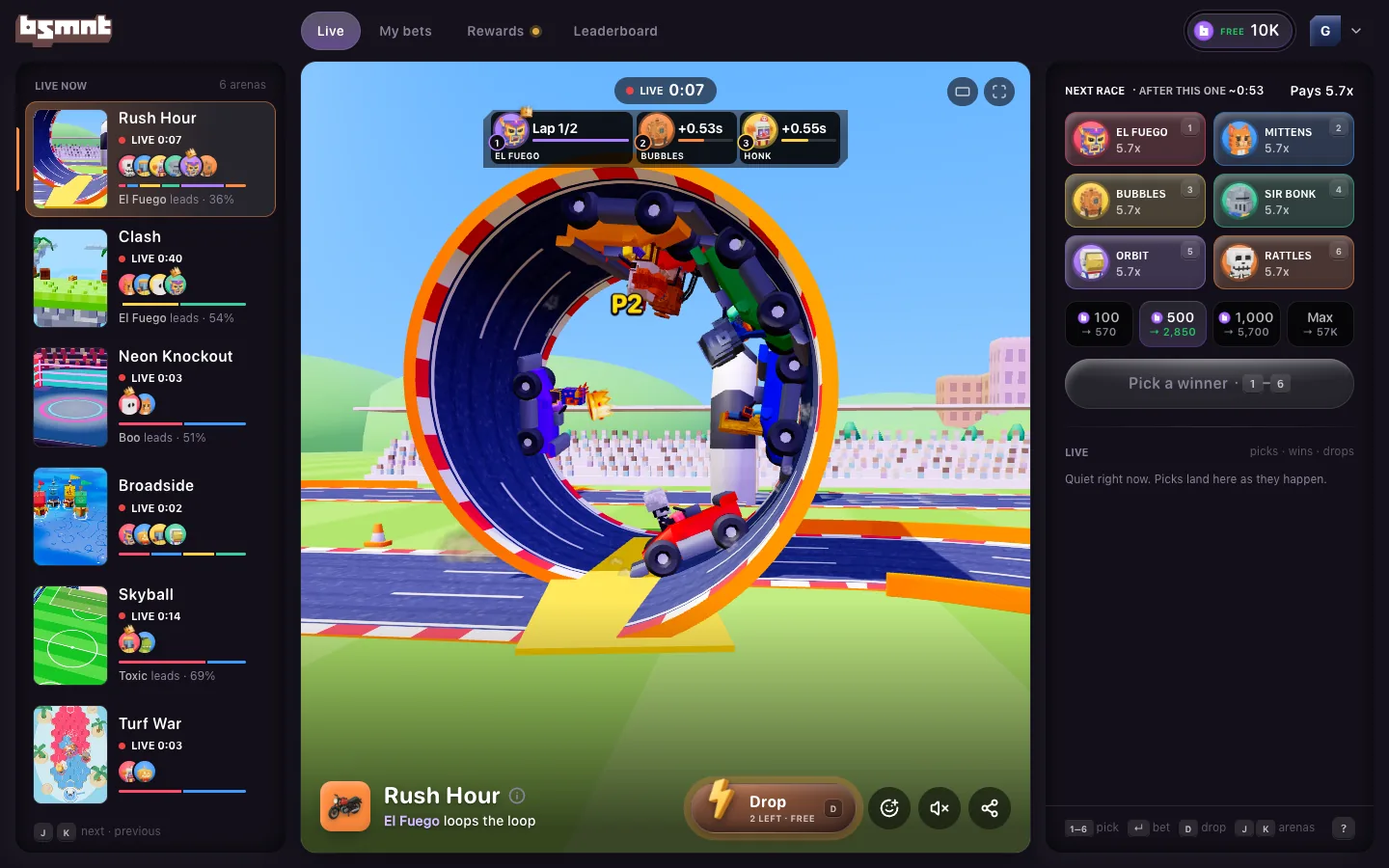
Find your way around the feed
Move between matches, read a live card, react with the crowd, turn on sound, and find My bets, Wallet and Rewards on your phone.
On a phone, the feed is a stack of full-screen cards, one live arena per card. It doesn't run out. As you swipe, the app keeps adding cards in a fresh order. On a computer, Basement shows every arena at once instead: see Basement on a computer.
Move between matches
Swipe up for the next card and down to go back. With a keyboard, press J or the down arrow for the next card, and K or the up arrow for the one before.
The order favors what you can act on. Cards with a round you can still pick come first, soonest first, then live matches with the closest scores. Rounds with a fighter you follow move up a little.
A few other rules decide where you land:
- A shared link opens on its own arena first.
- On your first visit, the first card is a two-sided game whose next round goes live within about 30 seconds, if one does. Otherwise the usual order applies.
- Until you've had a settled win or three settled picks, the feed leads with the two-sided games: Neon Knockout, Skyball and Turf War. It changes which card you see, never who wins.
- Games in the bottom bar lists all six arenas with their status. Tap one to jump to it.
Read a live card
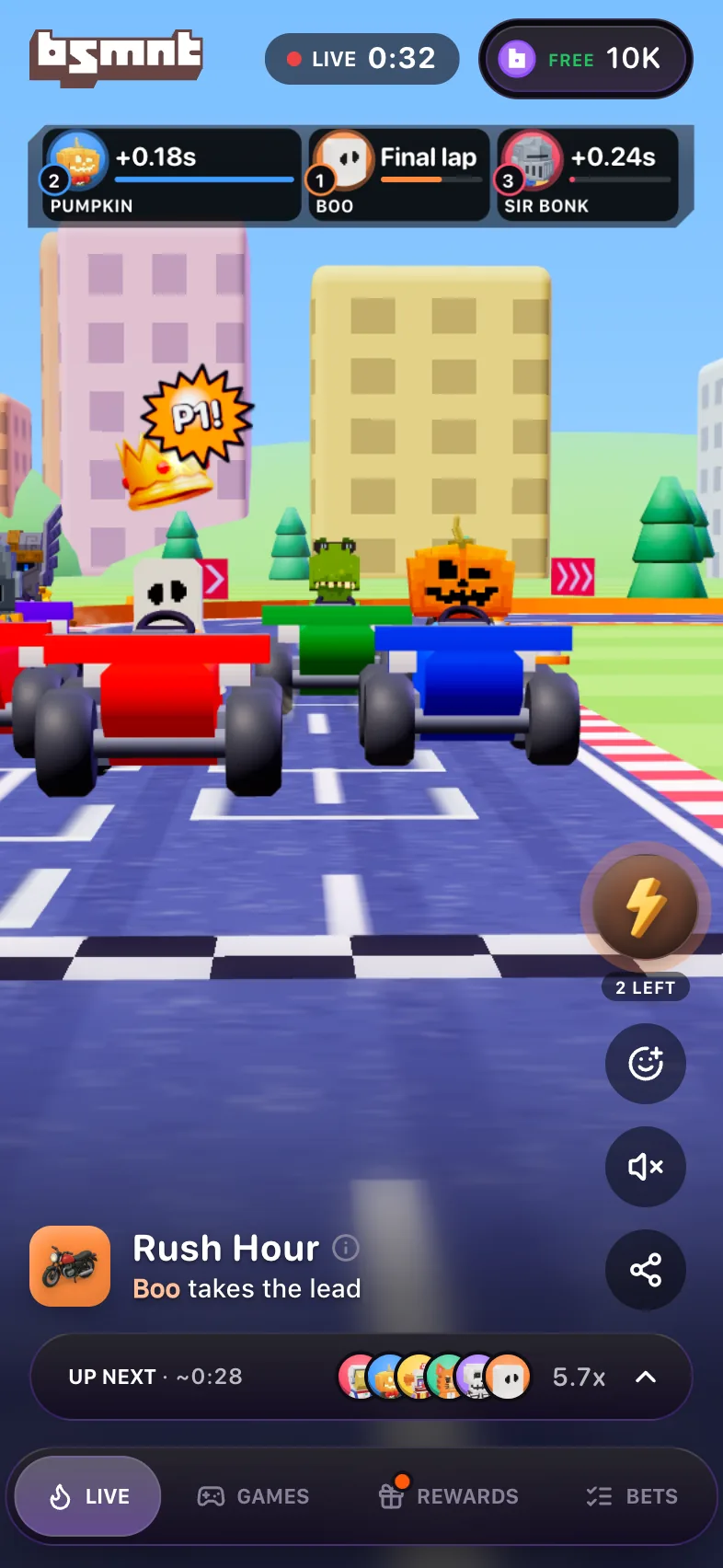
- The pill at the top says where the round is: Bets open with a countdown, Locked for the last moment before GO, Live with the match clock, then Final.
- Two-sided games show a scoreboard of who's winning. Rush Hour, Clash and Broadside show a row of faces with each one's position, lives or hull.
- Tapping the game's title opens its rules and its Provably fair panel. An eye and a number appear next to the title once 25 or more people are watching.
- Under the title runs one line of play-by-play, like "Boo takes the lead" or "Team Orbit levels at 1–1".
- The rail on the right has Drop (the lightning bolt), React, Sound and Share.
- The bet strip at the bottom is where you pick the current or next round. While a match is live it folds to an Up next pill. In a two-sided game each face on the pill is its own button: tap one to open the picker with that side already picked. See how picks work.
The crowd
There's no chat. Instead there are five reactions: Fire, Laughing, Wow, Dead and GOAT. Tap the smiley on the right rail to open them. Taps from everyone watching that arena float up the screen.
A line above the title shows real picks and wins from across Basement, such as "@RowdyCorgi37 backed Hanzo 500". You don't see your own picks there, but other people do. Your handle and amounts are public in that line. A win shows what that player came out ahead on the whole round, so someone who backed both sides and lost overall never shows as a winner.
Once three or more other people have picked in a round, the side most of them backed shows "62% picks" (or whatever the share is) in place of its payout. It counts people, not amounts, and leaves your own pick out.
Sheets and the dock
The bar at the bottom of a phone has Live, Games, Rewards and Bets.
- Bets opens My bets: your last 50 picks with their results, and a Replay for each pick that won or lost.
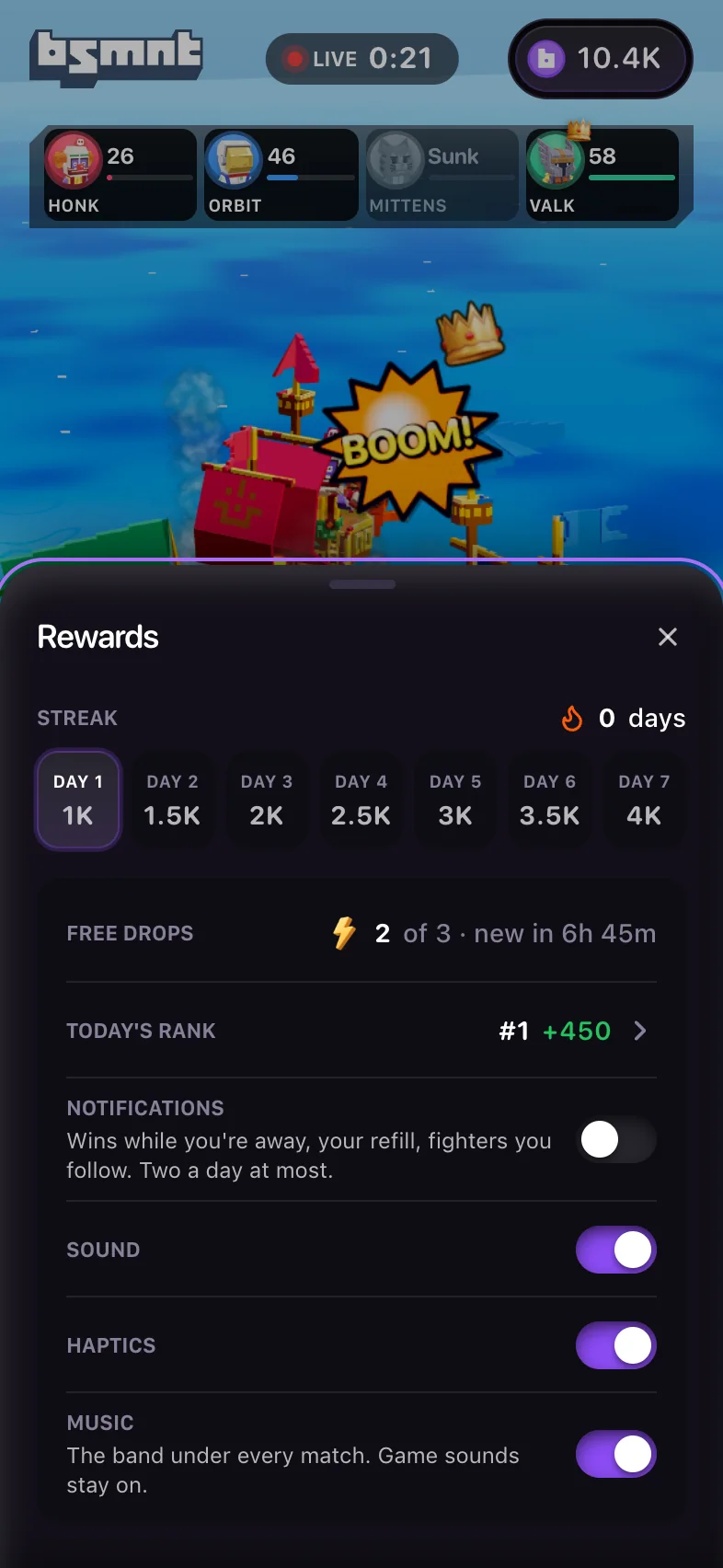
- Rewards has your daily refill, invites, streak, free Drops, today's rank and the app's settings. Today's rank opens the Leaderboard.
- Tap your balance in the top right to open the Wallet.
When you have picks running in other arenas, a pill above the bottom bar shows them, tinted by each one's live chance of winning. Tap one to jump there. If one settles while you're watching something else, a short note says how it went, like "+45 · Hanzo won Rush Hour".
When you come back to Basement, a note says which of your picks won while you were away, from up to the last 6 hours. Losses aren't mentioned.
Sound and haptics
Sound starts muted. Tap Tap for sound on the card (Click for sound with a mouse), or the speaker on the right rail, and the app remembers your choice. On iPhone, once you turn sound on, matches play even with the silent switch on. Turn sound off and the app follows the switch again.
Rewards has the switches:
- Sound is the same switch as the speaker on the card.
- Haptics shows on touch screens. It's on by default, and off if your phone asks apps to reduce motion. Vibration works on Android; on iPhone it's best effort.
- Music turns the band under every match on or off. Game sounds stay on. It shows while sound is on.
With reduced motion on, the camera doesn't shake and cuts become dissolves. Basement never plays a sound or buzzes for a loss.
When Basement updates
When a new version of Basement is live, a small pill under the header offers New version · Tap to refresh for a few seconds. Tap it to load the new version. It never reloads the page for you, and it waits while a sheet is open or you're lining up a pick.
On a computer
In a window 1276 pixels wide or more, or from 1000 pixels on a landscape screen, Basement becomes a broadcast desk: every arena in a rail on the left, the match on a big stage, and a bet slip on the right. The feed stops moving on by itself there. Basement on a computer covers the layout, and keyboard shortcuts lists every key.